import bpy
name = "MyAction"

bpy.data.actions.remove(bpy.data.actions[name])分类: 计科
blender学习
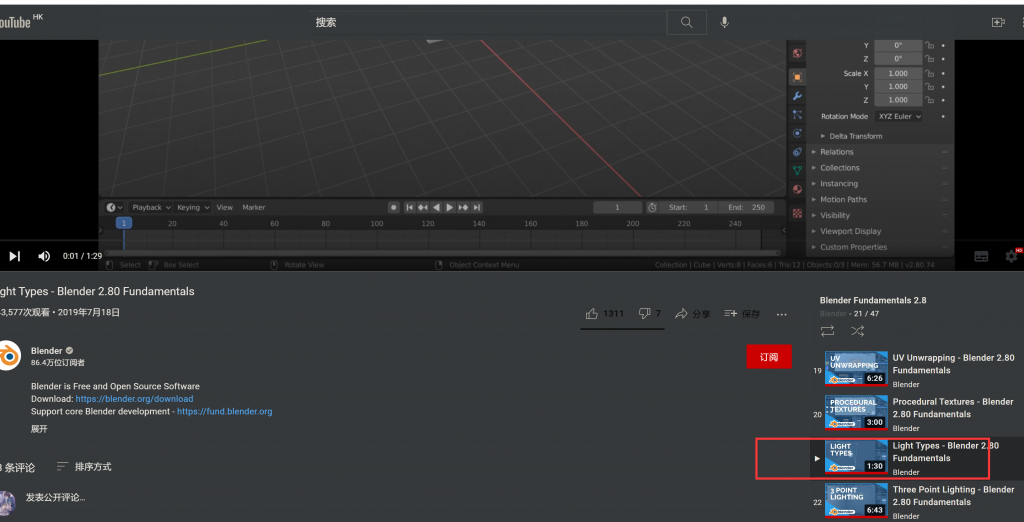
看到了21集,21集还没开始看
UE4 ActionRPG
# ActionRPG

* 播放LevelSequence
	* 在场景中放入level sequence,在beginplay中找到ls,接着play ls.
		* 接着可以bind event on finished
			* niagara particle system也可以这样bind

* player controller -> Set Virtual Joystick Visibility

* 有个叫做DoOnce的节点
* 有个叫做RemoeAllWidgets的节点
* open level的逻辑写在GameInstance里
* widget animation->GetEndTime(),从而可以在动画播放完后做事
UE4 Match3
# 虚幻三消

* actor获取gamemode

```
Cast<AMatch3GameMode>(UGameplayStatics::GetGameMode(WorldContextObject))
这个WorldContextObject传AActor this就行了
```

* spawned actor获取spawn自己的actor

```
FActorSpawnParameters SpawnParams;
SpawnParams.Owner = this;
SpawnParams.Instigator = GetInstigator();
SpawnParams.SpawnCollisionHandlingOverride = ESpawnActorCollisionHandlingMethod::AlwaysSpawn;
// Tiles never rotate
FRotator SpawnRotation(0.0f, 0.0f, 0.0f);
// Spawn the tile.
ATile* const NewTile = World->SpawnActor<ATile>(TileToSpawn, SpawnLocation, SpawnRotation, SpawnParams);

然后spawned actor:
Grid = Cast<AGrid>(GetOwner());

```

* GameInstance使用
	* 在Edit->Project Settings->Project->Maps & Modes里配置用自己的GameInstance类
	* GameInstance复写父类方法:

    ```

	// Called by the game at startup.
	void Init() override;

	// Called by the game as it shuts down.
	void Shutdown() override;
    ```
    在这两个函数实现中,先写自己的自定义实现,最后再调用父类实现Super::F()

    * GameInstance有个USaveGame作为成员变量,在其他地方不操作USaveGame,所有有关的操作都通过GameInstance直接或间接进行。
    	* 每个level的slotname都是关卡名
    	*  有个【TMap FString, int32】记录一些东西,如分数,是否播放音乐(将int32转为bool)

	* GameInstance的init里面,注册了一些事件

    ```
    LoginChangedHandle = FCoreDelegates::OnUserLoginChangedEvent.AddUObject(this, &UMatch3GameInstance::OnLoginChanged);
	EnteringForegroundHandle = FCoreDelegates::ApplicationHasEnteredForegroundDelegate.AddUObject(this, &UMatch3GameInstance::OnEnteringForeground);
	EnteringBackgroundHandle = FCoreDelegates::ApplicationWillEnterBackgroundDelegate.AddUObject(this, &UMatch3GameInstance::OnEnteringBackground);
	ViewportHandle = FViewport::ViewportResizedEvent.AddUObject(this, &UMatch3GameInstance::OnViewportResize_Internal);

    ```

  * 获取GameInstance

  ```
   UGameInstance* GameplayStatics::GetGameInstance(const UObject* WorldContextObject);
  ```

 * 游戏的设置(是否播放声音、是否播放音乐等设置)也作为成员变量记录在GameInstance里,接着在对应情况时检查GameInstance的设置。

* 获取当前Level的名字

```
/**
	* Get the name of the currently-open level.
	*
	* @param bRemovePrefixString	remove any streaming- or editor- added prefixes from the level name.
	*/
	UFUNCTION(BlueprintCallable, meta = (WorldContext = "WorldContextObject", AdvancedDisplay = "1"), Category = "Game")
	static FString GameplayStatics::GetCurrentLevelName(const UObject* WorldContextObject, bool bRemovePrefixString = true);
```

* 棋盘生成算法

以当前Actor为中心,左下角为0
```
FVector AGrid::GetLocationFromGridAddress(int32 GridAddress) const
{
	FVector Center = GetActorLocation();
	FVector OutLocation = FVector(-(GridWidth * 0.5f) * TileSize.X + (TileSize.X * 0.5f), 0.0f, -(GridHeight * 0.5f) * TileSize.Y + (TileSize.Y * 0.5f));
	check(GridWidth > 0);
	OutLocation.X += TileSize.X * (float)(GridAddress % GridWidth);
	OutLocation.Z += TileSize.Y * (float)(GridAddress / GridWidth);
	OutLocation += Center;

	return OutLocation;
}
```

* GameMode
	* 重启当前关卡

	```

	FName LevelName(*UGameplayStatics::GetCurrentLevelName(this, true));
	UGameplayStatics::OpenLevel(this, LevelName);
    ```

	* 实现UserWidget的切换

	```
    void AMatch3GameMode::ChangeMenuWidget(TSubclassOf<UUserWidget> NewWidgetClass)
{
	if (CurrentWidget)
	{
		CurrentWidget->RemoveFromViewport();
		CurrentWidget = nullptr;
	}
	if (NewWidgetClass)
	{
		if (AMatch3PlayerController* PC = Cast<AMatch3PlayerController>(UMatch3BlueprintFunctionLibrary::GetLocalPlayerController(this)))
		{
			CurrentWidget = CreateWidget<UUserWidget>(PC, NewWidgetClass);
			if (CurrentWidget)
			{
				CurrentWidget->AddToViewport();
			}
		}
	}
    ```
	* IsGameActive()

	```
bool AMatch3GameMode::IsGameActive() const
{
	// Game is active whenever time hasn't run out or the timer is paused.
	FTimerManager& WorldTimerManager = GetWorldTimerManager();
	return (WorldTimerManager.IsTimerActive(GameOverTimer) || WorldTimerManager.IsTimerPaused(GameOverTimer));
}
	```

	* GetRemainingTime

	```
GetWorldTimerManager().GetTimerRemaining(GameOverTimer)
	```

	* 给计时器加时间

	```
    重新设置下timer就好
    GetWorldTimerManager().SetTimer(GameOverTimer, this, &AMatch3GameMode::GameOver, StartingTimeValue + (ScoreAwardCount * Reward.TimeAwarded), false);

    ```

    * GameMode一般和PlayerController打交道

* PlayerController->IsLocalController()
* the network to uniquely identify a player:

```
PlayerController->PlayerState->GetUniqueId()->GetHexEncodedString()
```

* 交换宝石时那种位置移动的动画,通过节点Timeline在两个位置中lerp实现
ue4打包可以直接安装的apk
项目设置->平台->安卓->勾选上 将游戏数据打包至apk中
因为Google play上传时有大小限制,所以ue4做了个分离obb的功能。
ue4 坑
- 项目名 不能是 test,不能含中文
unreal4.25.3编译安装
- 安装vs2019,按照这篇文章选择需要安装的组件
- 从github上https://github.com/EpicGames/UnrealEngine/releases下载4.25.3的release的tar.gz(200多M,压缩前1g多)。
- 解压源代码。记得将这个文件夹深度少一些,不然后面可能会因为 文件夹+文件名 长过windows的限制,而运行Setup.bat的99%时运行失败。
- Setup.bat——》GenerateProjectFiles.bat——》生成UE4.sln——》启动vs进行编译。Setup.bat,较快时5M/s下载的话,Setup.bat下载依赖大概90min,会卡99%,99%后下载极慢。
- vs编译见这篇文章
mysql 修改密码
set password for 'jeff'@'localhost' = PASSWORD('mypass'); // this automatically hashes the password
c++ 按行处理
#include <iostream>
#include <cstdio>
#include <unordered_map>
#include <string>
#include <sstream>
using namespace std;

int main() {
  string line;
  while (getline(cin, line)) {
    istringstream linestream(line);
    int sum=0;
    int x;
    while (linestream >> x) {
      sum += x;
    }
    cout<<sum<<endl;
  }
}